Trust levels explained
A trust level answers one question: how much may this instruction do without asking? Every instruction starts at the lowest level and moves up only by proving itself.
The three levels
| Level | What it means when a run starts |
|---|---|
| Assisted | The instruction gets no extra freedom. The AI works inside the machine's approval mode and your rules, so steps that change the machine wait for you as they would for a message you typed. Every new instruction begins here. |
| Trusted | The same behaviour as Assisted at the moment a run starts. The difference is the record: a Trusted instruction has completed verified runs and is on its way up. |
| Zero-touch | The reviewed instructions are treated as approval given in advance. Steps run without a click, whatever the machine's own approval mode is. |
What Zero-touch still does not skip
Zero-touch removes the normal tier rules: the always-ask list and the machine's approval mode no longer hold a step back. Five things still apply.
- Your Never allowed list. It is checked against the exact commands after any values are filled in, and a match stops the run before anything reaches the machine.
- A restart. A restart always asks, at every level, and you choose when it happens.
- A step your instructions explicitly ask a person about. If you write "ask before this step", it stops and waits.
- A long-running command is the one exception to asking: at this level it is not held for approval, because you reviewed the instruction. At every other level a command that needs more than the default time limit asks first.
- Machines reached as a signed-in user, and network equipment, always ask.
How an instruction earns the next level
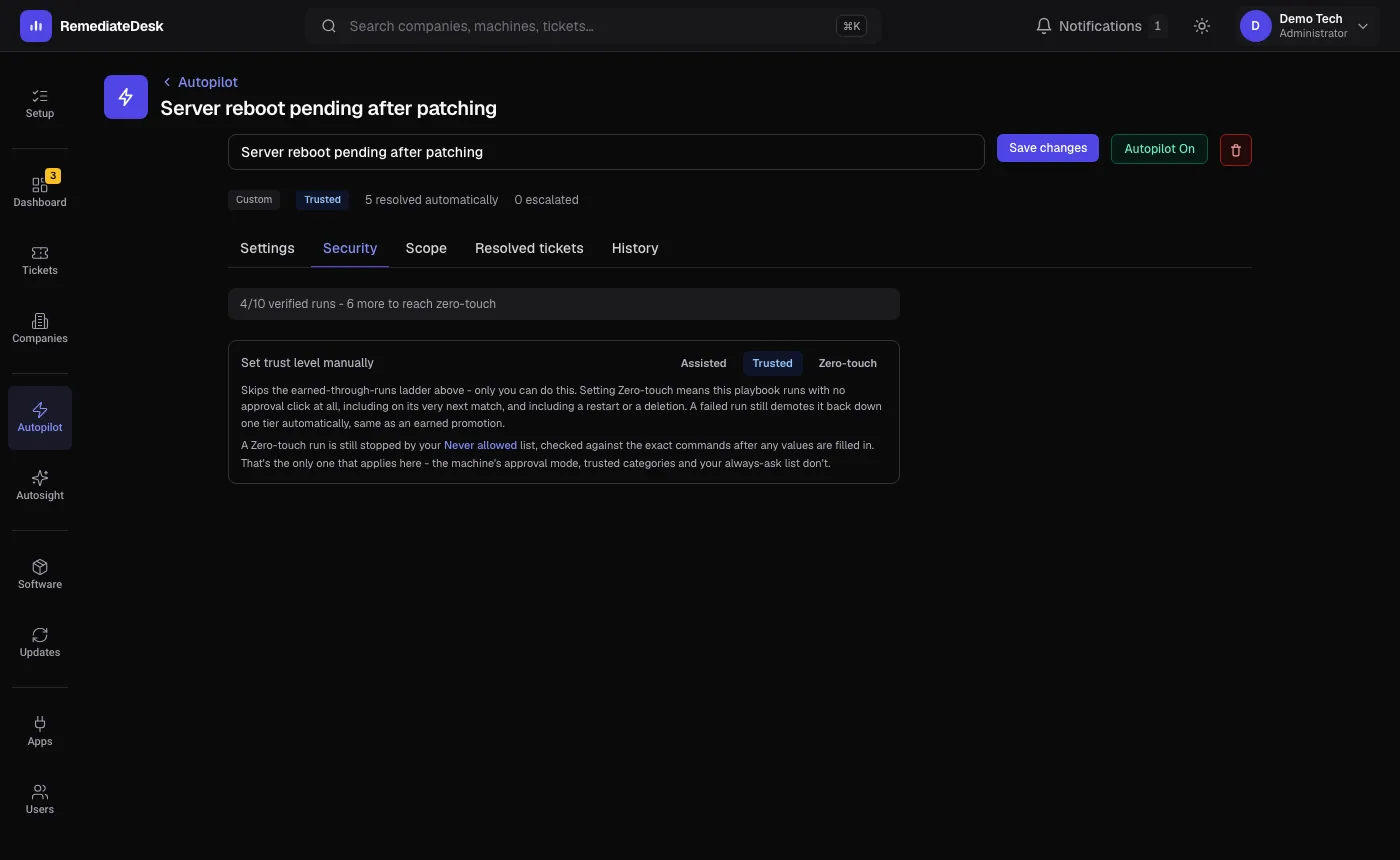
Only verified runs count: a run where the fix was checked and held. By default, 3 of them move an instruction from Assisted to Trusted, and 10 move it from Trusted to Zero-touch. An Administrator can change both numbers on the Security page.
It works the other way too. A failed run moves an instruction down one level. Three failures in a row switch it off. A run that succeeds but needed a technician to steer it does not earn anything, and an instruction that keeps needing steering is moved down and told why.
An Administrator can also set the level by hand from the instruction's Security tab. Setting Zero-touch by hand takes effect on the next matching ticket.
What the level does not control
A new instruction is switched off until you turn it on. An instruction that is off, or that has failed three times running, runs only as a draft with every step asking, however high its stored level is.