Quick intro
RemediateDesk is an AI technician that works on the real machine. This page says what that means for your day, and where each part lives.
What it is
A small agent runs on each Windows, macOS or Linux machine you manage and keeps one outbound connection open to RemediateDesk. When a problem arrives, either from a ticket or from a message you type, the AI runs diagnostic commands on that machine, reads what comes back, and decides what to try next.
It does not stop at "the command ran". Before it calls a problem resolved it checks the real condition again: the service is running, the disk has space, the name resolves. If the check fails it treats that as a failed attempt and tries something else, or hands the ticket to a person.
What you do in it
You are the person who decides. Safe, read-only checks can run on their own depending on the approval mode you chose for each machine, and anything that changes the machine waits for your click.
- Approve or deny the steps the AI proposes, or approve some of them and skip the rest.
- Write an Autopilot instruction once, in plain English, so a recurring problem is handled the same way every time.
- Set the limits: what is never allowed, what always needs a person, and how much each machine is trusted.
- Take over any ticket whenever you want. The chat is always yours.
What it leaves alone
It is not a replacement for your PSA or your RMM. Autotask is the only PSA it connects to. ConnectWise is supported as an RMM and for deploying the agent, not as a ticketing system.
It writes internal notes to a ticket and nothing customer-visible. The AI cannot close a ticket; closing is a button a technician presses.
A map of the screens
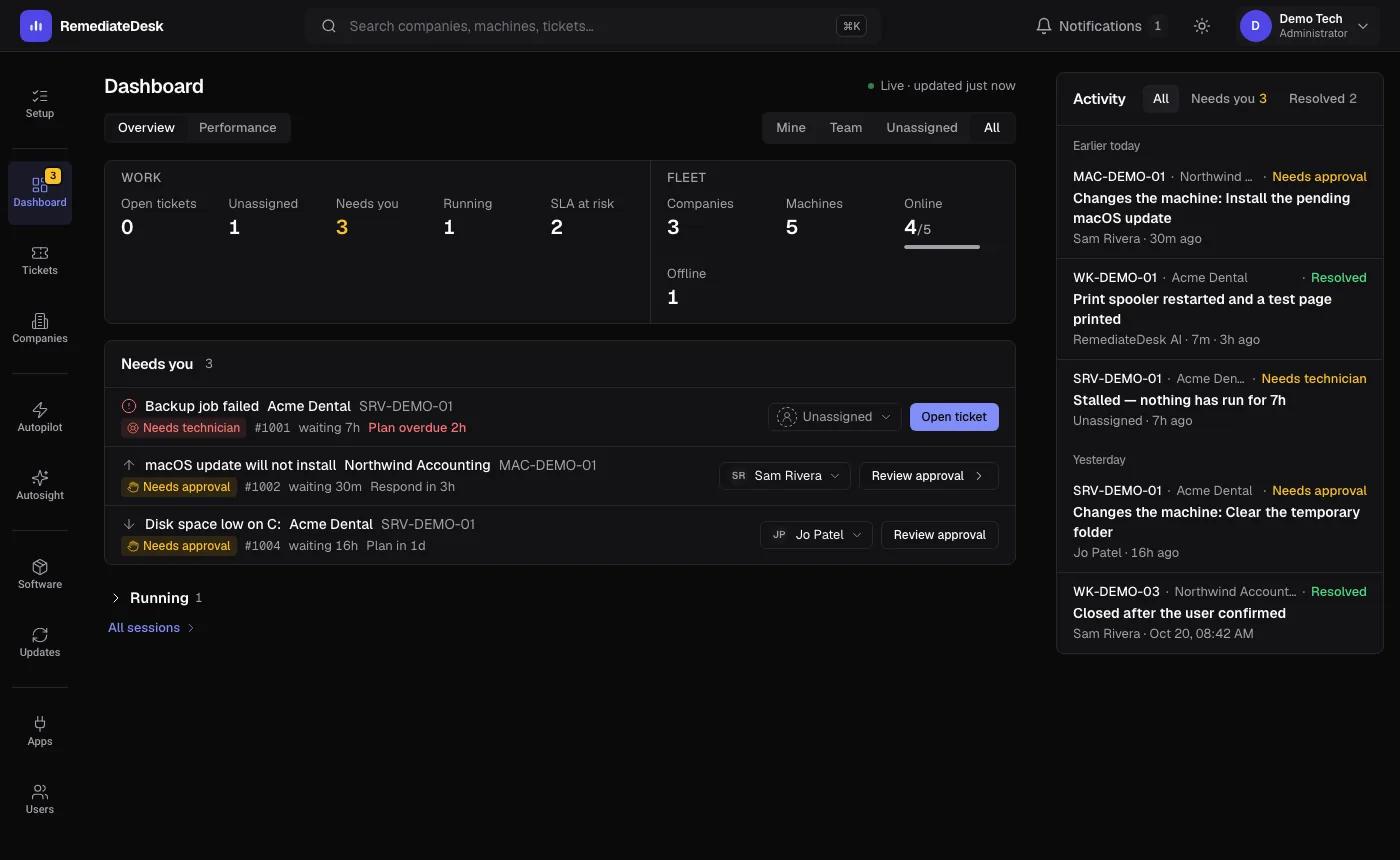
The left rail is where you spend most of your time. Three more places sit in the account menu in the top-right corner, and the notification bell is next to it.
| Where | What it is for |
|---|---|
| Dashboard | The queue of sessions that need you, with fleet counts above it. |
| Tickets | Your PSA tickets, with which ones RemediateDesk is working. |
| Companies | Every company and machine, plus each machine's chat and health. |
| Autopilot | Your saved instructions and the built-in templates. |
| Autosight | Finds recurring problems in old tickets that are worth automating. |
| Software | Install software on machines you choose. |
| Updates | Which machines are behind on patches or need a restart. |
| Apps | Autotask, ConnectWise and Microsoft 365 connections. |
| Users | Who is on your team and what they may do. |
| Settings, Audit Log, Security | Under your avatar: your account, the record of what people did, and the safety rules. |