Updates
Most machines have something pending. This page shows only the ones where a person can do something useful about it.
The tabs
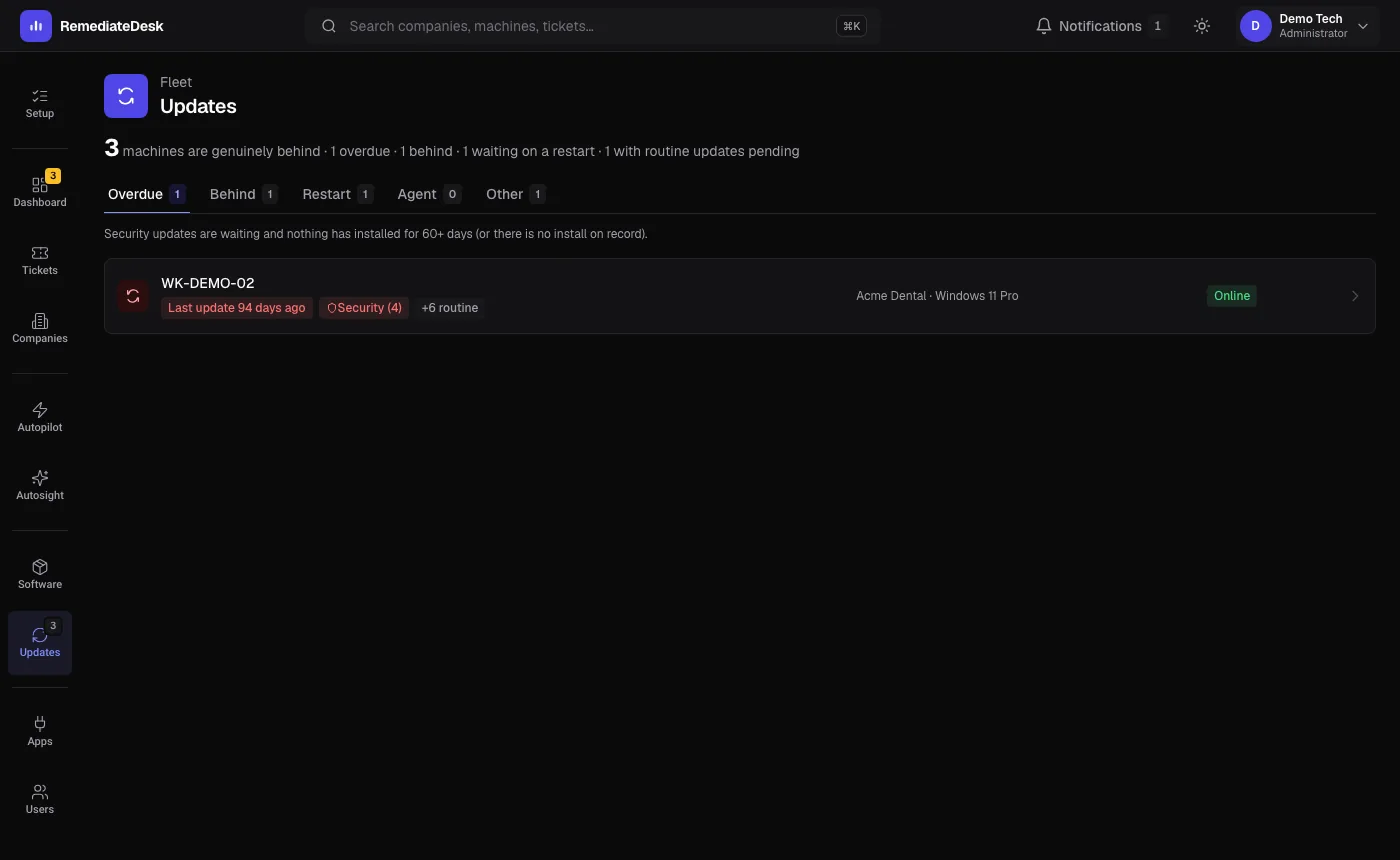
Overdue, Behind, Restart, Agent, Other. The page opens on the first tab that has anything in it.
| Tab | What puts a machine here |
|---|---|
| Overdue | Security updates are waiting and nothing has installed for 60 days or more, or there is no install on record. |
| Behind | Security updates are waiting and nothing has installed for 30 to 59 days. |
| Restart | A restart has been pending for a week or more, so an update cannot finish. |
| Agent | RemediateDesk's own agent is behind the current version. |
| Other | Something is pending but nothing urgent, such as drivers or definitions. |
Each list is sorted with the machine furthest behind first.
What to do with a machine
Open a machine from the list and use its Updates tab. It can install what is pending right away or at a time you choose, and you can ask the AI in the chat why an update is stuck. Installing updates does not restart the machine on its own; the restart is a separate step that waits for your approval, so you choose when it happens.
For a restart that is overdue, the restart approval card lets you pick a maintenance window.
About the agent column
Agents update themselves overnight, so a machine that is only slightly behind usually clears by morning. A machine that stays on the Agent tab for days is worth a look: it may be switched off or may be failing its own update.