The chat
The chat is where you and the AI work on a machine together. This page covers each control you will meet in it.
Talking to it
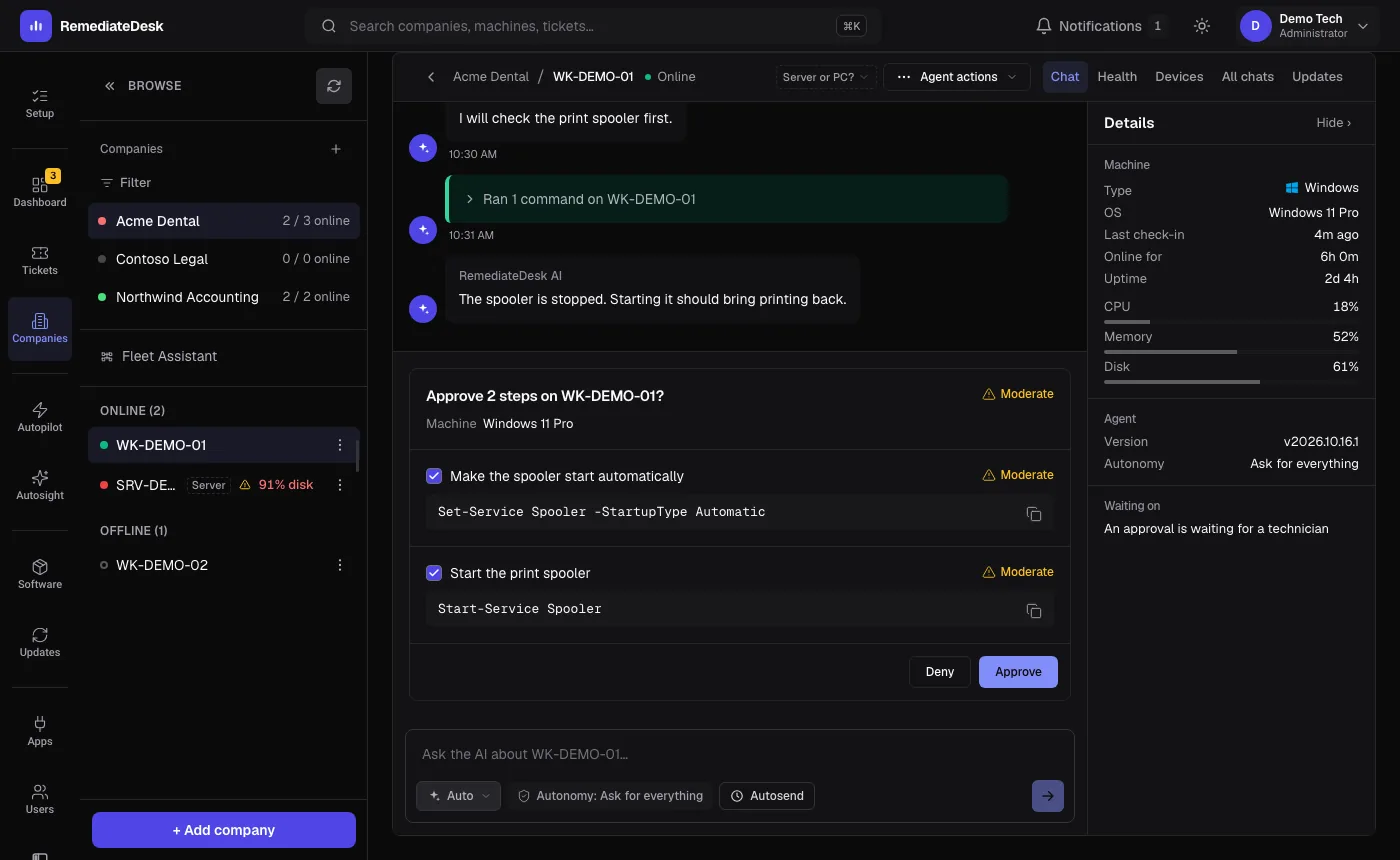
Type what you want in plain language, the way you would brief a colleague at the bench. The AI answers in a short message, then shows the commands it wants to run as a block you can expand. Each command shows its output under it as it finishes.
A very large output is not pasted into the chat. You are told it was too large to show in full, the AI reads the relevant parts, and your view stays readable.
A panel beside the conversation shows the linked ticket, the machine, and the autonomy setting. On a conversation that has just solved something, Save as Autopilot turns it into an Autopilot instruction.
Approval cards
When a step needs you, a card shows each command with a plain description and a risk label: Safe, Moderate or Destructive. Approve runs everything shown. Deny refuses it all.
When a card holds several commands you can tick only the ones you want. Approve then reads Approve followed by the number you chose, and it is disabled if you untick everything, because that is a denial.
Two cards carry an extra control. A restart lets you pick when it happens, and a command expected to run for a long time lets you set its time limit. Both are explained on the approvals page. If a card appears when you expected the step to run, this page explains why.
Stop and reset
Stop cancels the command that is running and stops the AI from continuing. If the AI reaches its limit of repeated fix attempts it stops proposing changes and shows a notice with Reset session and continue. That clears its working memory for this conversation and keeps the transcript, so you can carry on with a fresh start.
Undo
For some changes on Windows machines a finished step shows Undo this step. It reverses exactly that step. The security pages list what is covered.
Autosend
Use the Autosend button beside the message box to send a message into this chat at a time you choose, in your own time zone. Say "autosend" or "remind me" in a message and the AI will propose one for you; it shows a card and sets nothing until you press Autosend it. Add that you do not want to be asked, in so many words, and it is set straight away.
Your messages are listed under Upcoming, with those already delivered under Already sent. A message that could not be delivered, for instance because the machine was offline at that moment, is marked Not sent with the reason, and is not retried.
Did this help?
Under the last message of a finished session there is a pair of thumbs. One tap is enough, and Rate in detail adds stars and a note if you want them. The answers feed the Did it help? section of Performance.