Undo: what can be reversed
Undo restores the exact thing a step changed. It appears only where it can do that precisely, and never pretends otherwise.
How it works
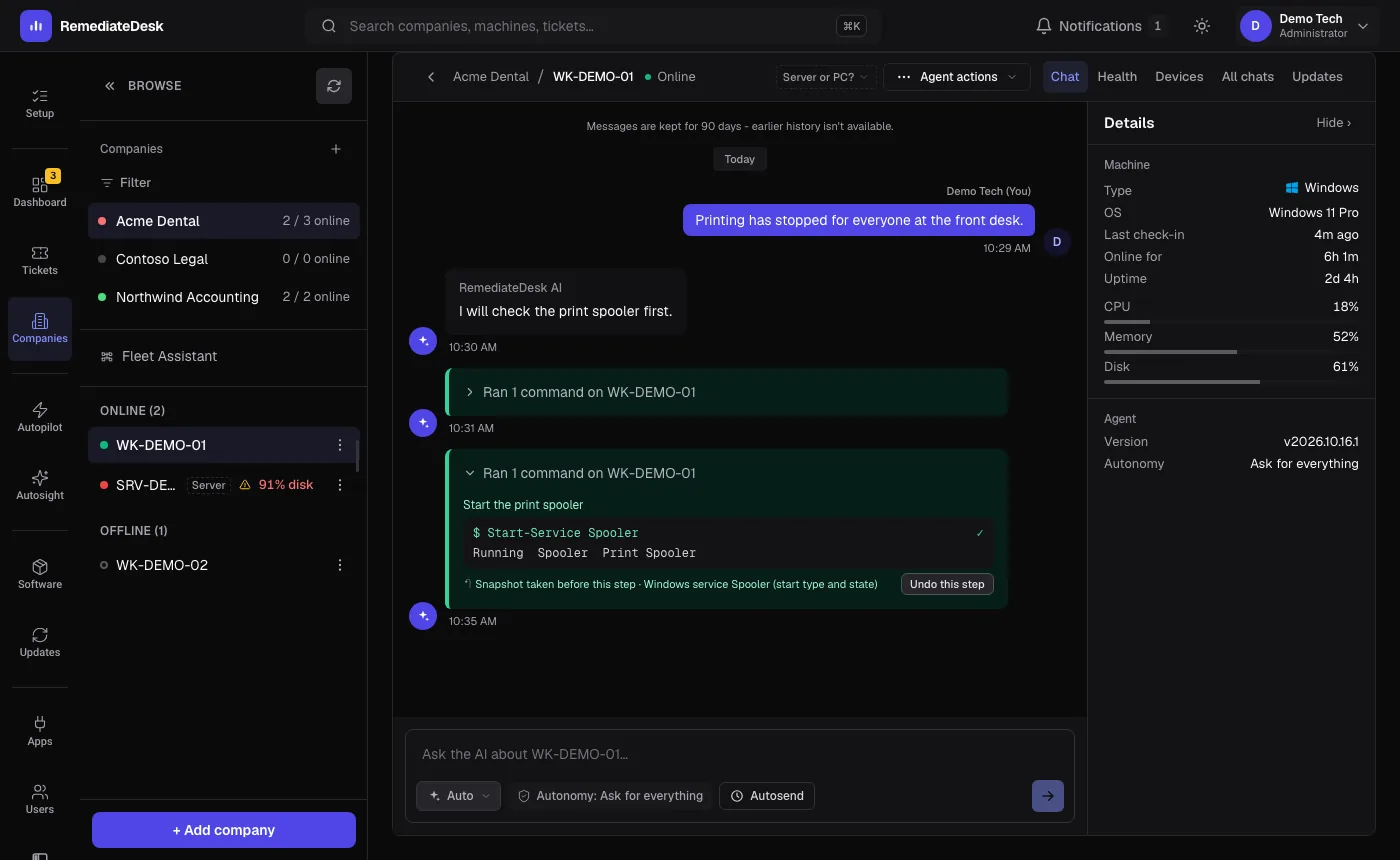
Before an approved command that changes one of the supported things, a snapshot of the current state is saved inside the same step, in the agent's own protected folder. The step then runs as normal. If it finished without error, an Undo button appears on it.
Pressing Undo this step runs the reverse, and it needs no AI turn. The result appears in the chat as its own card. A step can be undone once.
Snapshots are kept for seven days and then swept. Undo is available on Windows machines only.
What is covered
| Change | What is saved | What Undo does |
|---|---|---|
| Registry keys and values | An export of the whole key, or a note that it did not exist. | Imports the export back and removes what the command created. |
| Windows service start type and state | The start type and whether it was running. | Sets the start type back and starts or stops the service to match. |
| Deleted files and folders | A copy of what is about to be deleted, up to 500 MB. | Copies it back to where it was. |
| DNS servers on a network adapter | The adapter's current DNS server list. | Sets the list back, or resets to automatic if it was empty. |
What cannot be undone
- Installing or uninstalling software.
- Windows Update installs and driver changes.
- Restarts and shutdowns.
- Anything not in the table above. There is no Undo button rather than a misleading one.
Read-only checks change nothing, so they need no undo.
Note. Undo does not tell the AI it happened. If you undo a step, say so in your next message so its picture of the machine stays correct.