Audit log
The audit log answers two different questions, so it has two views. One is about machines, the other is about people.
Conversations
Open it from your avatar menu (Audit Log). The Conversations view is the transcript of everything the AI and the agent did on one machine, or across all of them: the messages, the commands that ran and what they printed. Use it to answer what happened to this computer.
People
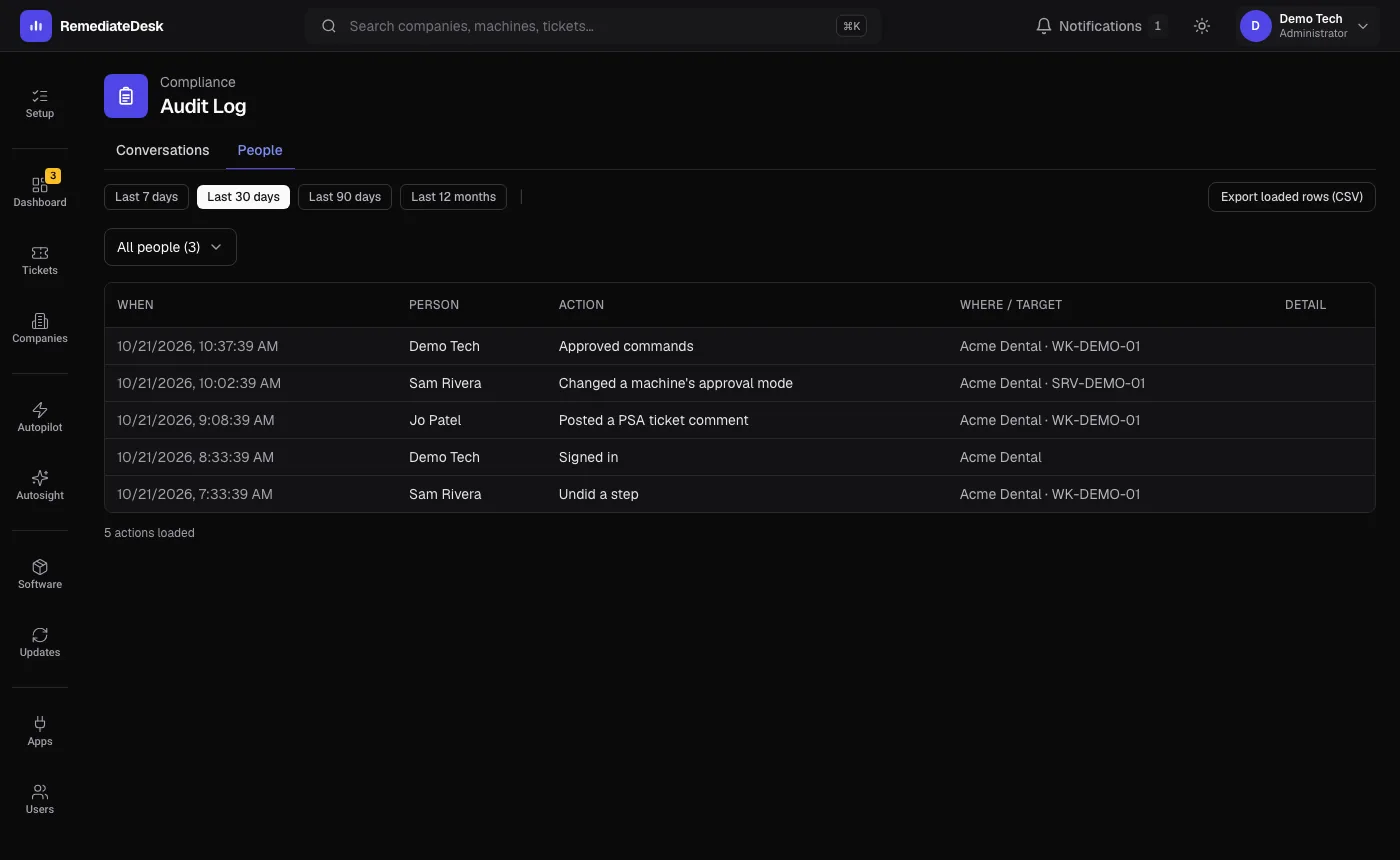
The People view is the record of what each person on your team did, across the whole account. It lists one entry per action with who, what, when and which machine or setting.
- Approving, denying and stopping work, and undoing a step.
- Running an instruction or a Microsoft 365 workflow by hand.
- Changing a machine's approval setting, moving or deleting a machine, and scheduling updates.
- Changing settings, connecting or disconnecting integrations, and inviting or removing people.
- Signing in, and adding or removing a passkey.
- Posting a note to a ticket.
You can choose a time window of up to twelve months, filter to one person, and export what you have loaded as a CSV. Every member of the organisation can read it, because someone picking up a colleague's work needs to see who approved a restart and who closed a ticket.
What is never recorded
The record says what was done, not the content of a request. Passwords, install keys and integration credentials are never written to it. A key that appears in an address is masked to its last four characters.
The People trail is kept for 13 months. Conversations follow the conversation retention period on the data page.
Entries from before the People trail was introduced do not exist. The page shows an empty state rather than guessing.